
Live · 3D experience
Splat Walk
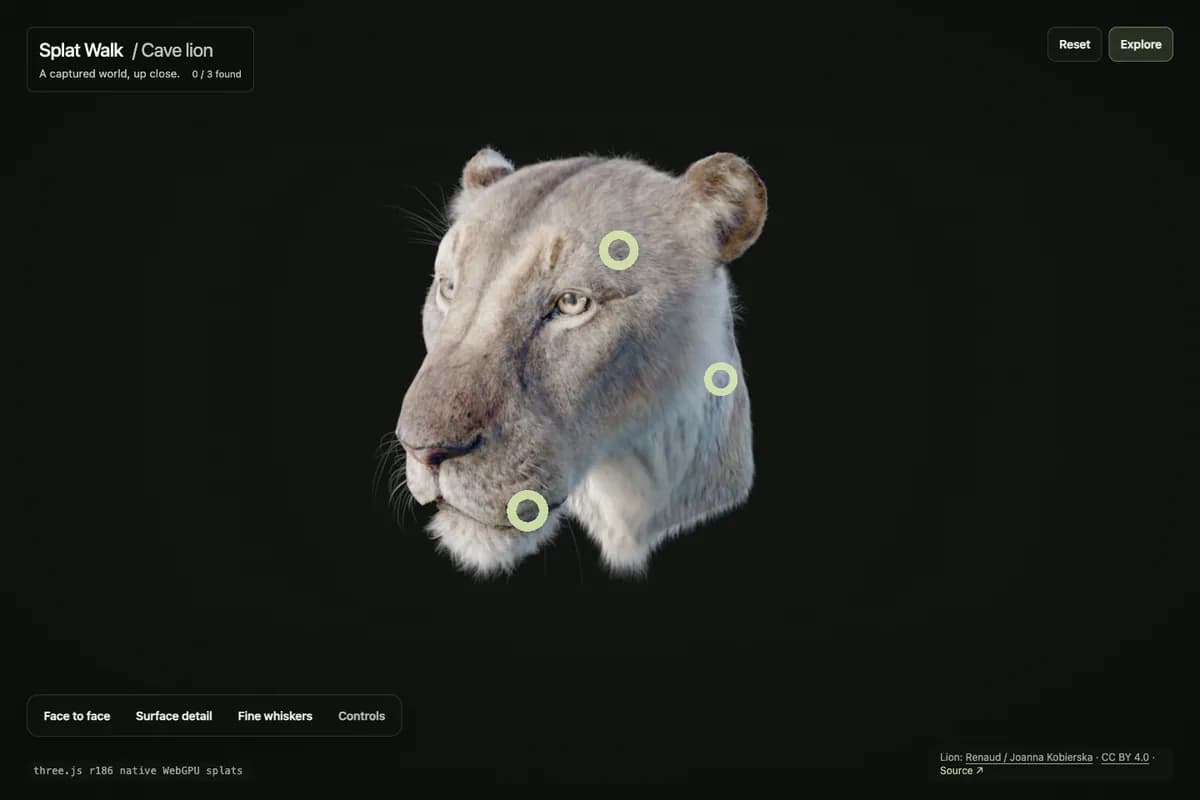
Orbit and zoom around a real Gaussian-splat cave-lion capture, inspect three guided details, and return to a stable overview.
Overview
A subject-centered Gaussian-splat inspection experiment built around a captured cave-lion reconstruction. The camera now stays anchored to the subject: orbit and zoom around it, open three guided details, move through their authored viewpoints, and return to the stable overview without flying away from the scan.
Before you try it
What to try
Orbit the subject
Drag with a mouse or trackpad to orbit around the lion and scroll to zoom. On touch, one finger orbits and a two-finger pinch zooms. Keyboard users can orbit with the arrow keys, zoom with plus/minus, and press Home for Overview.
Follow the guided details
Choose Face to face, Surface detail, or Fine whiskers from a ring or the accessible detail controls. Selection moves toward an authored camera pose, and direct orbit or zoom input can interrupt that motion immediately.
Complete or replay the tour
Previous and Next move cyclically through the three details. After all three are found, Explore freely dismisses the completion prompt; Replay tour returns to the first guided detail. Overview restores the authored starting view without clearing discoveries.
How it works
- The capture is the visual
- three.js r186 renders the SPZ through its native WebGPU GaussianSplat and SPZLoader. Native splat raycasting and the HTML detail controls share the same authored annotations; there is no proxy mesh standing in for the capture.
- A subject-centered camera model
- Object mode derives camera position from target, yaw, pitch, and radius with tuned limits and delta-time damping. Hotspots can request a presentation pose while direct mouse, touch, or keyboard input remains authoritative.
- Loading and recovery are part of the interface
- Each loading attempt fetches the SPZ once. Progress uses the response length when available. GPU loss ends that attempt and removes the dead canvas; retry creates a new renderer. Hidden tabs pause rendering, and cleanup releases scene resources.